

Aaron L'Heureux is a web developer in the Interactive Design department at Boston University.
This primer was created to provide practical knowledge about jQuery for his coworkers beyond the everyday Google search for jQuery plugin for randomly generating cat pictures.
Some of it is certainly too basic for them, but as it may be discovered by accident by others, starting from scratch seemed like the way to go.
Also, this design was lifted (and then modified a bit) from BU's School of Hospitality site, designed by Matt Fredenburg -- also of Interactive Design @ BU.
And yes, that's my cat.
1. What is jQuery?
jQuery.com says:
jQuery is a fast and concise JavaScript Library that simplifies HTML document traversing, event handling, animating, and Ajax interactions for rapid web development. jQuery is designed to change the way that you write JavaScript.
The emphasis is important.
jQuery is still JavaScript, and understanding how JavaScript works is important for proper use of jQuery. jQuery adds a flexible yet robust toolkit for manipulating the content and actions of a webpage. And manipulating can be anything from changing the color of an element on the page to loading a Twitter user's tweets, generating new HTML, and animating it onto the page.
jQuery is also, by far, the most widely used JavaScript library right now (February 2012) and steadily climbing. Proficiency with jQuery has rapidly become a common employment requirement for many web related jobs, even for designers.
The best way to find out exactly what jQuery is and what it can do is to see it in action. If you are familiar with the basics of JavaScript and don't mind going to a reference for questions then skip the next two sections and jump right to Getting jQuery, otherwise scroll or animate down with this guy: Next ⇣.
2. Digression: JavaScript
A proper discussion of the ins and outs of JavaScript just wouldn't fit in this space and would be more suited to a primer all to itself. Thankfully someone wrote that already.
Mozilla maintains a developer network site (MDN) that includes a guide that traverses the concepts of JavaScript piece by piece from simple to advanced. It's got a fancy name too: JavaScript Guide.
Alternatively, look to the left for other options like About.com's exhaustive collection of JavaScript articles from all over the web or a book from Wrox or even the rhino book (Definitive Guide).
If you've really never looked at JavaScript or even programmed before, the rest of this primer may seem overwhelming and require a more general discussion of programming topics. An understanding of topics 2, 3, 4, 6, 7, and 8 in Mozilla's guide will be very helpful. Additionally, information from any of the remaining sections may include items from other topics in their guide and can be referenced as needed either in the guide itself or from their developer reference (linked on the left).
The absolute necessities
If you haven't got the time right now to delve into Mozilla's guide, the most important pieces of information that are the foundation of learning JavaScript are here. Understanding these details will help you understand what is going on just a tiny bit better, and if you have questions, then you can reference the guide for more information.
- JavaScript is a scripting language that gains utility by being incorporated into other environments (e.g.: web browsers).
- JavaScript itself has "a core set of objects" (e.g.: Array, Date) and "a core set of language elements" (e.g.: operators [+, -, <, etc.])1
- When JavaScript is placed in an environment, it gains other functionality such as the ability to manipulate and access the DOM (Document Object Model), or, in the case of server-side JavaScript, the ability to interact with files or a database.
The language itself looks a lot like many other languages with general concepts carrying over from one to the next. This will look particularly similar to Java as well as other ECMAScript-based languages such as ActionScript 3.
- As with all programming languages, there needs to be a way of storing data (variables).
- JavaScript understands strings: "I'm already falling asleep..."; numbers: 12345; and booleans: true/false as well as some special values to represent a lack of data or other state: null, undefined, NaN (technically a number...), etc.
- JavaScript is un-typed. This means there is really only one type of variable declaration (except for extra-advanced stuff that we don't need to know here).
- Variables are declared as follows:
var boring = true;
- Because JavaScript is un-typed, we can later redefine boring from a boolean to a string (don't repeat the var, we've already defined the variable):
boring = "a meeting called jQuery part 1 of ?";
In the web browser, certain objects exist for manipulation of the DOM such as window and document. Each of these objects has functions that can be called that allow for interaction with a web page (e.g.: window.onload(), document.getElementById()). These objects are global, which means they are accessible by all JavaScript being run on a given document. A lot of advanced code relies on these objects to help that code be accessible globally. You'll see this later in the primer, but jQuery attaches itself to the window object for this purpose.
1: Info from: MDN JavaScript Overview
3. JavaScript Quirks
Bear with me, this could get verbose...
Checking for equality (and some type conversion)
Most people with a little programming knowledge think of equality simply as:
var catdiv = document.getElementById('catdiv');
if (catdiv.getAttribute('weight') == null) {
	//the vet needs to weigh Princess for her records
}
That's all well and good because getAttribute() returns null if the attribute doesn't exist. But what happens if you also needed to know the breed of the cat? There are some 'shorthand' properties that you can use like .className and .id instead of .getAttribute('class') and .getAttribute('id').
var catdiv = document.getElementById('catdiv');
if (catdiv.className == null) {
	//this doesn't deal with multiple classes, but for the sake of demonstration...
	//the vet needs to record Princess's breed for her records.
}
That's great right? Works fine? Well the shorthand .className actually returns an empty string "" when it isn't set whereas .getAttribute('class') returns null. And then what if you tried to find a property that just didn't exist at all?
var catdiv = document.getElementById('catdiv');
if (catdiv.banana == null) {
	//will the cat eat a banana?
}
catdiv.banana actually returns the JavaScript constant undefined if it has not been manually set.
Do any of these differences matter?
Well yes, they do. In the first example when 'weight' doesn't exist, we'll get back a null. That's fine because null == null is true. But what about "" == null? Well that's false so you'd never know that Princess's breed needed to be recorded. And undefined == false? Well that technically works but as the author of the book to the left would say, that's two mistakes canceling each other out. A type conversion occurs and the result of that conversion results in a true result.
Basically, JavaScript does automatic type conversion for any equality tests with == as necessary, and it'll do the same for concatenation, like "5" + 5 + 5 (what do you think the result is there? How about 5 + 5 + "5"?). The safest way to go here is use the === operator and always know the kind of return value you will be receiving. So in the first example we'd use:
if (catdiv.getAttribute('weight') === null) {
And the second would be:
if (catdiv.className === "") {
And the third:
if (catdiv.banana === undefined) {
Because unlike above, undefined === null is not true.
The sole exception to suggesting triple equals at as many opportunities as possible is when you know that you want to test that something is specifically neither null nor undefined. In that case, you can use != instead of !==
this
Object oriented languages have a concept known as this which is a reserved variable that refers to the current object. this refers to the object upon which a function was called. this is easier to explain by example. In JavaScript it can mean a few different things. In the case of a constructor function (convention suggests that a function that is to be used as a constructor should be capitalized; however, this does not bring with it any programmatic enforcement as you will see below):
function Lolcat(tt, bt, url) {
	this.topText = tt;
	this.bottomText = bt;
	this.imageURL = url;
	this.ImageTag = function() {
		var image = document.createElement('img');
		image.setAttribute('src', this.imageURL);
		return image;
	};

	//implicit 'return this;'
}

var myLolcat = new Lolcat("dis.lolcat = funny;",
                          "Err: can't find varibul 'dis'",
                          "images/baroo_cat.jpg");
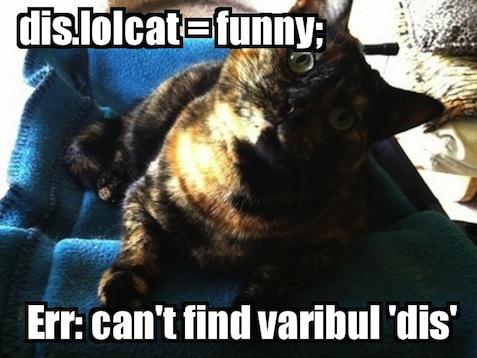
This looks similar to what a constructor looks like in many languages, it accepts some variables and, in this instance, this refers to the object you are creating. So this.topText creates a property on this which gets returned to myLolcat. And if you were to then write:
myLolcat.imageURL;
You'd get back 'images/baroo_cat.jpg'.
There is a situation where this will not behave as expected. Consider the same function, but instead it is used differently:
Lolcat('dis konfuzing', 'hed hurts', 'images/head_in_paws_cat.jpg');
In this case, because Lolcat() was called without a new before it, it acts as a regular function. And in that scenario, this actually refers to the global object for the browser, which is window. So what instead occurs is that window gains (or has replaced) the properties defined in the function. This can break a lot of things.
Now where this is most applicable to jQuery is my final this-related example, and that is through the use of .call() and .apply() functions. jQuery commonly uses this next example to manipulate this within a specific function (jQuery convention is to call those functions callbacks).
function addCatToPage(cat) {
	//referencing the above Lolcat declaration
	//take newLC in as 'cat' and get an img tag
	//to add to the dom element with id 'catHolder'
	this.appendChild(cat.ImageTag());
}

var newLC = new Lolcat('Imma boop',
                       'u in the lolcat',
                       'images/boop_cat.jpg');

//assume a catHolder always exists (of course it does)
addCatToPage.apply(document.getElementById('catHolder'), [newLC]);
In the previous example, the first parameter of the .call() function provides the object that is to be referenced by this throughout that function. The remaining parameters are passed to the function in order. The .apply() function works the same way except that instead of sending the parameters separately, the second parameter is an array of parameters.
jQuery utilizes .call()/.apply() to provide a reference to something selected to its callback function (e.g.: You select the div with id of 'lolcat' on the page and tell it to .fadeIn(), you can define a function that is called when the fade finishes that will have this defined as the lolcat div). You'll see this in action later on.
Functions
Functions are Objects
Just what it says, a function is also an object, so it can be easily stored in a variable:
var func = function() { // do stuff };
That function can then be called:
func();
Or it can be passed to another function:
anotherFunction(func);
This convention is used heavily in jQuery's events and animation code as well as some of its utility functions. More specifics on this will be explained as they are encountered.
Function declarations and 'overloading'
Functions in most languages are typically defined with a reference name and a number of parameters accepted like this:
function funcName(var1, var2) {}
And as a result, many languages allow for multiple declarations of funcName with different arrangements or quantities of input variables. But as most things in JavaScript are objects, and functions fall into that category, there is no way to define an object property with multiple values existing at the same time. Convention is then either to define the most complex function signature and act based upon which input variables exist:
function funcName(var1, var2, var3, var4) {
	if (var4 === null) { // do stuff }
}
Or to rely on the arguments variable. Regardless of the function declaration, you can give a JavaScript function as many or as few input variables when invoking the function and they will be available in an array called arguments.
function generate_lolcat() {
	alert(arguments.length);
}
generate_lolcat(text, url);
In the above example, arguments.length will alert a 2.Try it!
Automatically executed functions
A function can be declared and then automatically executed. This is important if you want to make sure your variable names will not collide with the variable names defined elsewhere on your page as variables within a function have a more limited scope. As above, because functions are really just objects, they can be treated as such:
var x = 0;

(function generate_lolcat() {
	var x = 1;
	alert(x); //1

	//arguments.length is 2 here as well
})(text, url);

alert(x); //0
You'll see this in use very soon.
4. Getting jQuery
jQuery can simply be included on the page, hosted from your local file server. This has some benefits:
- You are not relying on another entity to maintain the file at that location and have guaranteed uptime.
- You are not referencing code hosted on a server you do not control.
- The Internet at large does not rely on one1 point of failure when hosting something integral to many sites.
jQuery can also be included on the page, hosted by a CDN, either from the jQuery servers, Google's or others. In this case there are other benefits:
- CDNs are typically distributed around the world, which can result in shorter load times for people not geographically near your web server.
- When a browser encounters jQuery included from a CDN, if it has seen that same file in the past on another site, it may be able to retrieve it from local cache and not require any download from the web.
- Browsers have limits to the number of simultaneous connections they will make to a specific server at a given time. If your site is loading a significant quantity of external resources, the CDN-hosted jQuery will not count towards that number as it is on another server.
- CDNs are typically faster than your host is.
There is one remaining option. Both. The only drawback is that it doesn't mitigate the referencing code out of your control issue, but it deals with redundancy perfectly. Basically, you try to include the CDN version, and if that fails, you include the local version. HTML5 Boilerplate uses something like this:
<script type="text/javascript" src="http://ajax.googleapis.com/ajax/libs/jquery/1.7.1/jquery.js"></script>
<script type="text/javascript">window.jQuery || document.write("<script type='text/javascript' src='js/jquery-1.7.1.min.js'><\/script>")</script>
Basically, the browser is told to load jQuery from the Google CDN. When it's finished, a expression is executed that checks the existence of the jQuery property on the window object. If that is true, the expression 'short-circuits' because in a "this or this" scenario, it doesn't matter what the second 'this' is if the first is true/valid. If jQuery is not present, then JavaScript is used to write a new script tag onto the page which includes jQuery from the non-CDN source.
1: CDNs are typically massive collections of servers distributed around the world and are inherently not a single point of failure but there are some hypothetical scenarios that could result in downtime for a CDN, even if only to specific geographic regions.
5. Getting .ready() and other basics
It's time to get into jQuery syntax itself, but there's one more bit of what's going on under the hood before we can begin.
Page loading
When you want to see a web page, you type in the URL, the browser begins loading data, and everything pops in. What's really happening is the browser is interpreting the page live as it receives new elements, referencing your CSS file that it downloaded, and laying out the page according to those rules as it receives new elements, until all the elements are complete.
Most of what jQuery will be doing is interacting with elements after they become available. If the code you want to run goes to look for an element before the page finishes loading, you could encounter errors or simply return no elements when sometime in the near future those elements would exist.
.ready()
jQuery provides a very simple entry point for your code to run after all the elements have been interpreted (though not necessarily all external assets loaded, images may still be downloading, fonts, etc), see below:
jQuery(document).ready(function() {
	//the document is ready for lolcat insertion
});
A number of things should be familiar from JavaScript Quirks, above. Let's go through what is going on with this statement.
- A globally accessible function jQuery was previously attached to the window by jQuery itself when it loaded (by using an automatically executed function)
- You are calling that function and passing in the document object (one holds each HTML document loaded into the window)
- That function returns an object that has a .ready property (which in this case is a function), that is then immediately called
- The ready function accepts an argument, which expects a function or reference to a function, that jQuery keeps track of and calls when the document is ready
There is a shorthand version of this function:
jQuery(function() { });
The $
But, Aaron, you say, every time I see anything about jQuery it always uses a dollar sign! Well Timmy, that's because jQuery makes the $ available as a shorthand for the jQuery function. Just think:
var $ = jQuery;
And you've got the right idea. Though this isn't always safe as other libraries (Prototype) also like the dollar sign and having two libraries attempt to use the global (attached to the window object) dollar sign will result in major problems.
jQuery provides a helper function jQuery.noConflict() (or $.noConf...) that will, after it is run, remove jQuery from the $ variable. That said, if jQuery is the only library in use, it's probably safe to use the dollar sign. In the event that you're working with a content management system, like Wordpress, that embeds jQuery in No Conflict Mode by default, there are still a few ways to get access to the dollar sign. Either:
jQuery(document).ready(function($) {
	//$ is available and DOM is ready
});
or, recalling automatically executing functions and the .ready() shorthand:
(function($) {
	$(function() {
		//$ is available and DOM is ready
	});
})(jQuery);
You also don't need to refer to jQuery as the $ at all. The following is perfectly functional, though confusing (please don't do this unless you have a very, very good reason...no, that's not a good reason):
(function(meow) {
	meow(function() {
		//meow is available and DOM is ready
	});
})(jQuery);
As you will see, the jQuery object/$ object accepts a variety of arguments, and as explained above regarding function declarations and overloading a function with more variables, jQuery acts differently based on the number of parameters it receives as arguments as well as what types those arguments are.
6. Selecting (finding elements on the page)
Stay tuned for the next meeting in the series!